Choosing the right accounting software can completely change how you manage your business finances from tracking expenses to handling invoices and taxes. 💼
Both Xero and Zoho Books are powerful cloud-based tools, but they serve different types of users. One focuses on advanced features and global scalability, while the other is known for affordability and simplicity for small businesses.
So the real question is:
👉 Which one gives you better value for your money and business needs?
In this guide, we’ll break down everything pricing, features, ease of use, and real business use cases so you can confidently pick the right tool without wasting time or budget. 🚀
⚡ Quick Comparison: Xero vs Zoho Books
| Feature | Xero | Zoho Books |
|---|---|---|
| Pricing (starting) | $5.80/month (Starter, 80% off for 3 months) | Free plan available; paid from ~$10/month |
| Free Trial | 30 days | 14 days (no credit card required) |
| Users | Unlimited users on all plans | Varies by plan (3 to 25+ users) |
| Automation | Strong bank reconciliation, AI analytics | Advanced workflow automation, bulk categorization |
| Mobile App | Excellent, full-featured | Functional, but less comprehensive than desktop |
| Customer Support | 24/7 online support, no phone number | Phone, email, live chat (8/5 for free plan) |
| Best For | Growing businesses, scalability, ease of use | SMEs, automation lovers, Zoho ecosystem users |
🧾 What Is Xero? (Overview + Best Use Cases)
Xero is a cloud-based accounting software platform founded in New Zealand in 2006. Today, it serves over 4.6 million subscribers across industries like agriculture, construction, education, healthcare, and hospitality.
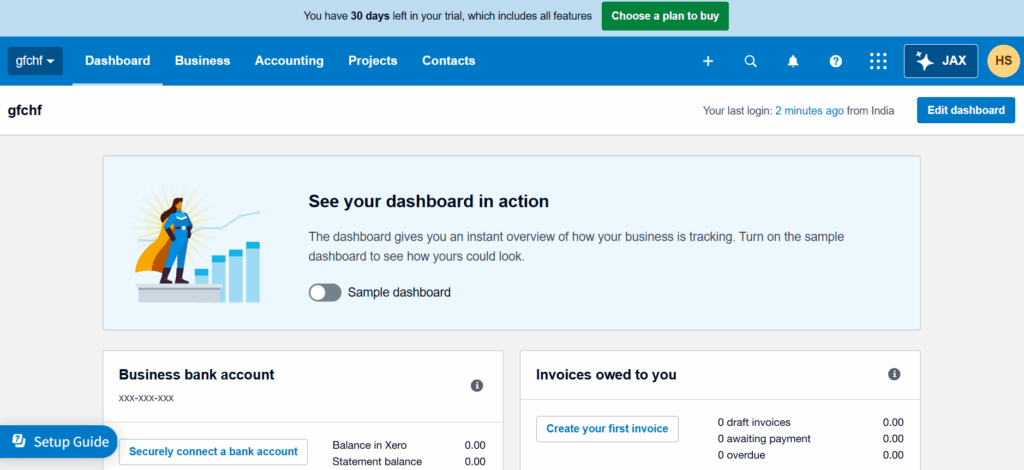
Xero’s strength lies in its clean interface, powerful bank reconciliation, and the ability to add unlimited users on every plan.
Best use cases for Xero:
- 🏢 Growing small businesses needing scalability without user limits
- 👨💼 Freelancers and sole traders who want professional invoicing
- 🏗️ Service-based businesses (consultants, contractors, agencies)
- 👥 Businesses with accountants who need real-time collaboration
📊 What Is Zoho Books? (Overview + Best Use Cases)
Zoho Books is part of the Zoho suite of business applications (CRM, Desk, Inventory, etc.). It is designed specifically for small and medium-sized enterprises (SMEs) that want to automate repetitive accounting tasks and integrate seamlessly with other Zoho tools.
Zoho Books offers a rare free plan and scales up to highly customizable enterprise tiers.
Best use cases for Zoho Books:
- 📦 Product-based businesses needing inventory and purchase orders
- 🌍 Startups and SMEs looking for low-cost entry with a free plan
- 🔄 Businesses already using Zoho CRM or other Zoho apps
- 🤖 Teams that love automation (workflows, approval rules, recurring invoices)
💰 Pricing Comparison: Xero vs Zoho Books (Plans & Value for Money)
Xero Pricing (2026)
Xero currently offers a Lite plan (very limited) and three main plans with an 80% discount for the first 3 months:
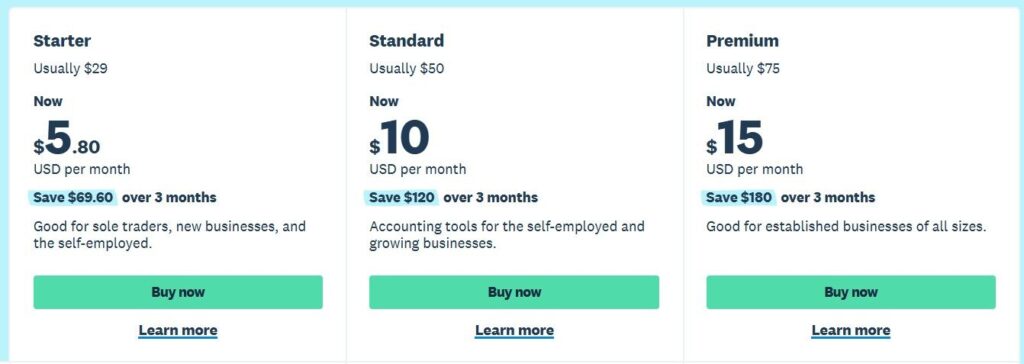
| Plan | Regular Price | Discounted Price (First 3 Months) | Key Limits |
|---|---|---|---|
| Starter | $29/month | $5.80/month | 20 invoices, 5 bills |
| Standard | $50/month | $10/month | Unlimited invoices and bills |
| Premium | $75/month | $15/month | Multi-currency, Analytics Plus |
Optional add-ons: Claim expenses ($5/month), Track projects ($10/month). All plans include unlimited users, bank reconciliation, and 24/7 online support.
Zoho Books Pricing (2026)
Zoho Books offers six pricing tiers, including a free plan:
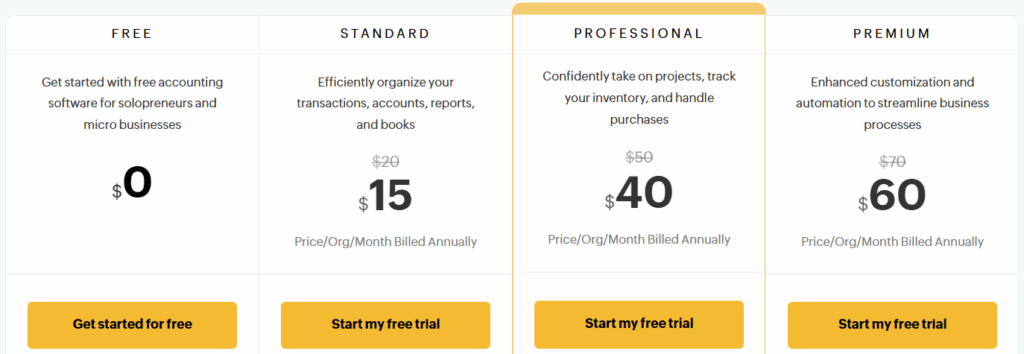
| Plan | Price (Monthly) | Users | Best For |
|---|---|---|---|
| Free | $0 | 1 user + 1 accountant | Micro-businesses with low revenue |
| Standard | $10 | Up to 3 users | Basic accounting needs |
| Professional | $21 | Up to 5 users | Inventory, purchase orders |
| Premium | $41 | Up to 10 users | Advanced automation |
| Elite | $70 | Up to 15 users | Custom modules |
| Ultimate | $150 | Up to 25 users | Enterprise analytics |
Value Verdict
- For micro-businesses on a tight budget: Zoho Books Free Plan wins 🏆
- For growing businesses needing unlimited users: Xero Starter at $5.80/month (first 3 months) is incredibly affordable.
- For long-term scaling: Zoho Books offers predictable per-user pricing; Xero’s unlimited users model can be more cost-effective for larger teams.
🧑💻 Ease of Use & Dashboard Experience
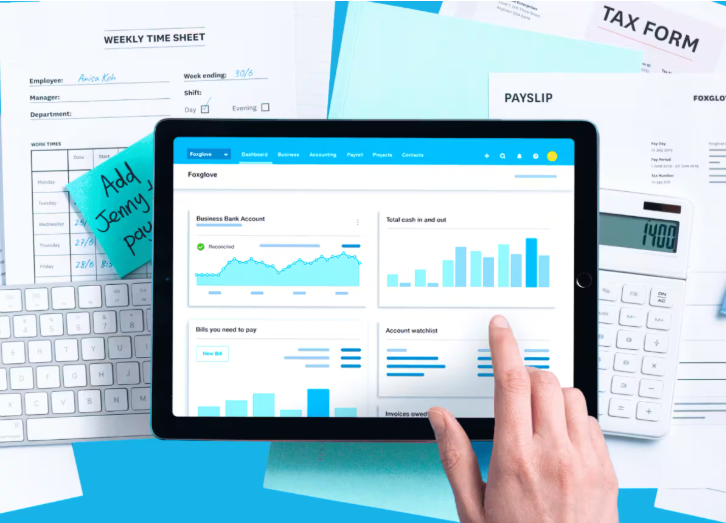
Xero is widely praised for its simple, clean layout. The dashboard puts cash flow, invoices, bills, and bank balances front and center. New users typically find Xero intuitive, with a shallow learning curve. Recent updates introduced a widget-led homepage that surfaces real-time profit and tasks.
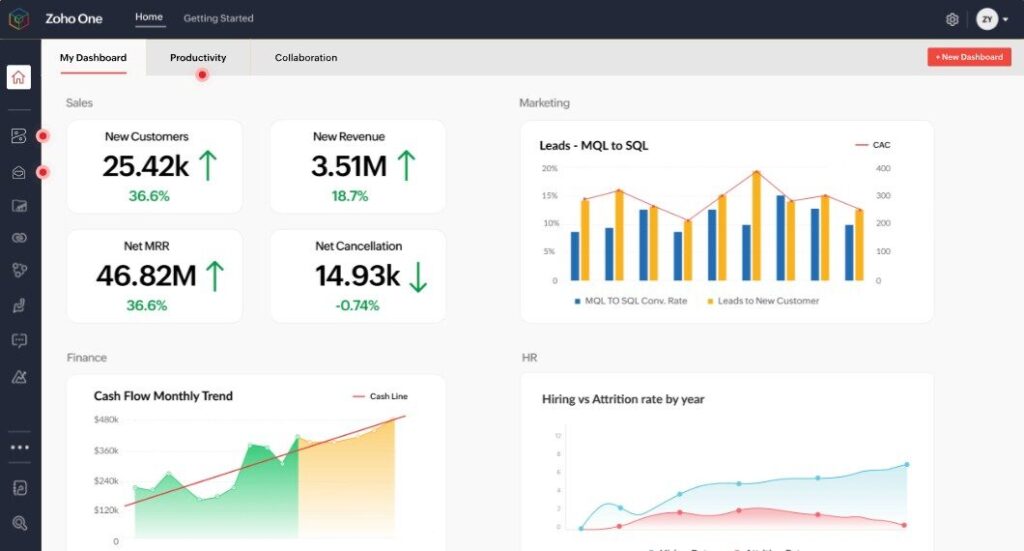
Zoho Books has a more feature-dense interface. It offers more options on screen, which power users love but beginners may find overwhelming. However, once configured, the dashboard provides excellent visibility into payables, receivables, and bank balances.
Winner: Xero for absolute beginners; Zoho Books for users who prefer more control and data density.
📈 Features Comparison: Xero vs Zoho Books (Core Accounting Tools)
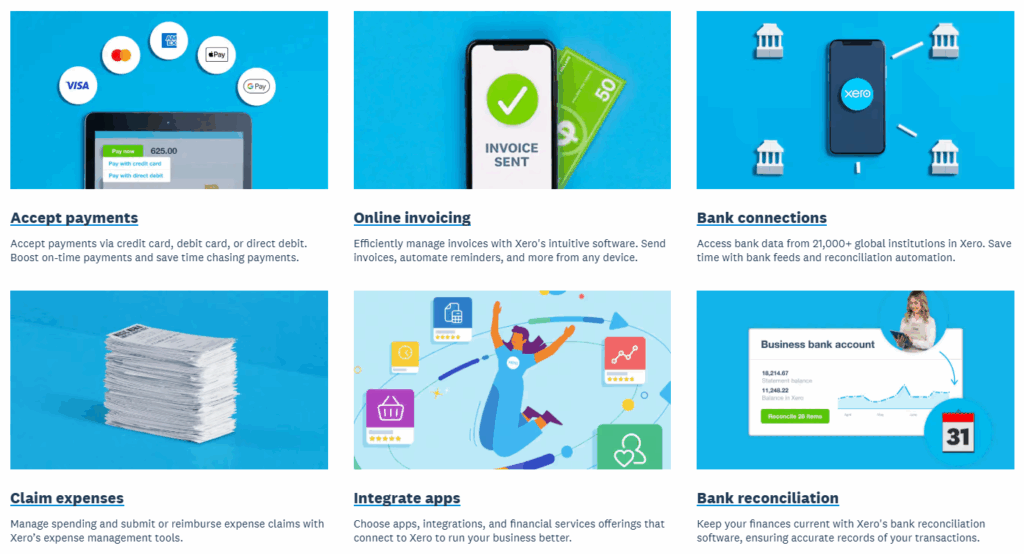
Both platforms cover the essentials: invoicing, expense tracking, bank reconciliation, and financial reporting. But there are differences in depth.
| Feature | Xero | Zoho Books |
|---|---|---|
| Bank Reconciliation | Auto-suggestions, bank rules | AI-powered reconciliation, bulk categorization |
| Invoicing | Professional templates, online payments | Customizable, auto-reminders, multi-currency |
| Expense Tracking | Receipt capture (Hubdoc), mileage | Mobile receipt scanning, approval workflows |
| Inventory | Basic tracking | Advanced (SKUs, reorder points, vendor management) |
| Project Management | Add-on ($10/month) | Built-in (time tracking, budgeting) |
| Multi-currency | Premium plan only | Available from Professional plan |
Winner: Xero for simpler, more polished core accounting; Zoho Books for advanced inventory and project management.
🧾 Invoicing & Billing (Automation, Templates, Recurring Invoices)
Xero Invoicing: You can create and send professional invoices from the web or mobile app. Xero supports online invoice payments, recurring invoices, and automatic payment reminders. The mobile app allows you to create invoices on the go.
Zoho Books Invoicing: Zoho Books takes automation further. You can set up automated payment reminders based on due dates, enable auto-charging for recurring invoices, and integrate with multiple payment gateways (Stripe, PayPal, Razorpay, Zoho Payments). Invoices marked as paid update in real time, eliminating duplicate data entry.
Winner: Zoho Books for automation depth; Xero for mobile invoice creation.
💸 Expense Tracking & Bank Reconciliation
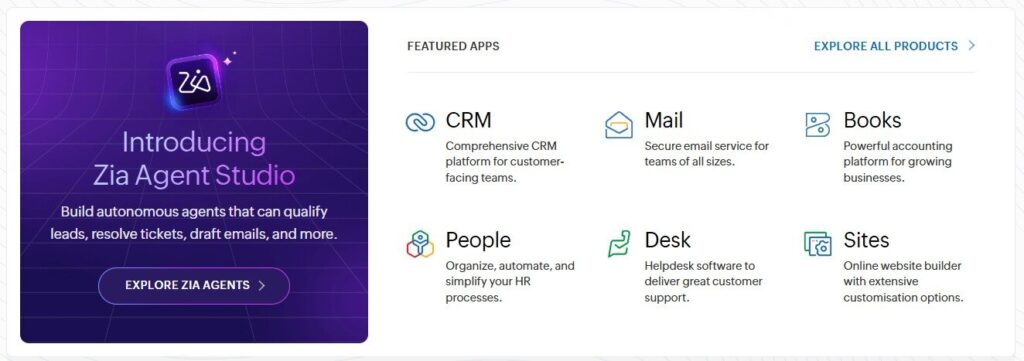
Xero’s approach: Xero connects directly with major banks, importing transactions daily. The reconciliation process is streamlined with suggested matches based on bank rules and past behavior. Xero Expenses (optional add-on) automates expense claims and receipt capture via Hubdoc.
Zoho Books’ approach: Zoho Books recently introduced a Quick Categorize feature, allowing users to categorize up to 50 bank transactions at once in a spreadsheet-like view. AI-powered reconciliation and user-level bank account segmentation give tighter control over access.
Winner: Tie. Xero is smoother for daily reconciliation; Zoho Books wins for bulk categorization and access control.
📊 Reporting & Analytics (Financial Reports & Insights)
Xero Analytics: Xero has heavily invested in AI-powered analytics. New features include visual dashboards tracking profitability, cash flow, and balance sheet health. Xero’s “Accountable Intelligence” framework ensures AI decisions are explainable, with human oversight. Premium plans include Analytics Plus for deeper insights.
Zoho Books Reporting: Zoho Books offers standard financial reports (P&L, balance sheet, cash flow, trial balance) plus advanced reporting tags introduced in February 2026. These tags allow filtering and tracking transactions at both transaction and line-item levels.
Winner: Xero for cutting-edge AI analytics; Zoho Books for customizable tagging.
🌍 Tax Compliance & GST Support (Important for Businesses)
Xero: Built-in tax support for multiple regions, including GST, VAT, and sales tax. Xero simplifies tax filing with automated reports and IRD compliance (for NZ).
Zoho Books: Excellent multi-region tax compliance, including VAT, GST, and sales tax. The platform helps businesses comply with local tax laws and offers automated tax calculations on invoices.
Winner: Tie. Both handle core tax requirements well.
🔗 Integrations & Add-Ons (CRM, Payment Gateways, Apps)
Xero App Store: Xero boasts hundreds of third-party app integrations across categories like CRM, ecommerce, payroll, inventory, and payments. Recent additions include workflow automation, expense capture, and industry-specific tools. Xero also partners with Anthropic to bring Claude AI into financial workflows.
Zoho Books Integrations: As part of the Zoho ecosystem, Zoho Books integrates natively with Zoho CRM, Zoho Inventory, Zoho Desk, and 20+ other Zoho apps. It also connects with major payment gateways (Stripe, PayPal, Razorpay, Paystack) and third-party tools via API.
Winner: Xero for breadth of third-party integrations; Zoho Books for native Zoho ecosystem synergy.
📱 Mobile App & Accessibility
Xero Mobile App: Xero’s mobile app is consistently rated as one of the best in accounting software. You can create and send invoices, manage receipts, reconcile bank transactions, and view cash flow reports—all from your phone. The app supports mobile alerts for bank accounts needing reconciliation.
Zoho Books Mobile App: The mobile app is functional but less comprehensive than the desktop version. Users praise its ease for managing invoices and expenses on the go, but some note that advanced reporting and customization are better done on desktop.
Winner: Xero (more polished, more features on mobile).
🔐 Security & Data Protection
Xero Security: Xero uses industry-standard data encryption for data in transit and at rest, with bank-grade security protocols. Multi-factor authentication (MFA) is required for logins, significantly reducing unauthorized access risk. Data is replicated across multiple secure data centers with daily backups.
Zoho Books Security: Zoho Books also uses bank-level encryption, MFA, and role-based access controls. You can restrict user access to Personally Identifiable Information (PII) at the role level. However, older versions had SSL certificate verification issues (since resolved).
Winner: Xero (more transparent, audited security posture).

👥 Multi-User Access & Collaboration
Xero: All plans include unlimited users. You can add your accountant, bookkeeper, and employees at no extra cost. This is a major advantage for growing teams.
Zoho Books: User limits vary by plan: Free (1 user), Standard (3 users), Professional (5), Premium (10), Elite (15), Ultimate (25). Additional users can be purchased.
Winner: Xero (unlimited users on every plan).
🏢 Scalability (Small Business vs Growing Companies)
Xero is built to scale. From a sole trader to a multi-entity enterprise, Xero’s unlimited users, extensive app marketplace, and growing AI capabilities support businesses as they expand.
Zoho Books is also scalable but follows a more structured path. It offers six tiers, each adding features like advanced inventory, custom modules, and enterprise analytics. For businesses already in the Zoho ecosystem, scaling is seamless.
Winner: Xero for open-ended scalability; Zoho Books for structured, predictable scaling.

🤝 Customer Support & Help Resources
Xero Support: Xero offers 24/7 online support as part of your subscription. However, there is no inbound phone number support is via email, help center articles, and callback requests. Response times are typically within 24 hours.
Zoho Books Support: Zoho Books offers multiple channels: phone, email, and live chat. Free plan users get email support only (24–48 hour response). Paid plans include live chat and phone support (8 hours/day, 5 days/week). Phone support numbers are displayed directly on the dashboard.
Winner: Zoho Books (more direct human contact options).
🔄 Free Trial, Refund Policy & Hidden Costs
Xero:
- ✅ 30-day free trial (no credit card required for trial)
- ✅ 80% off first 3 months for new customers
- ✅ Cancel anytime with one month’s notice
- ⚠️ No refunds for partial months
Zoho Books:
- ✅ 14-day free trial of all paid plans, no credit card required
- ✅ Permanent free plan available (limited features)
- ✅ Cancel anytime
- ⚠️ Some advanced features (like custom modules) require higher-tier plans
Winner: Zoho Books (permanent free plan + trial); Xero (longer trial).
👤 Who Should Use Xero vs Zoho Books? (Best For…)
Who Should Use Xero?
- 🏢 Growing businesses that need unlimited users at no extra cost
- 👨💼 Freelancers and consultants who want a clean, intuitive interface
- 🔗 Businesses that rely on a wide range of third-party app integrations
- 📱 Teams that do most of their accounting on mobile devices
- 💼 Companies with accountants who prefer Xero’s ecosystem
Who Should Use Zoho Books?
- 📦 Product-based businesses needing strong inventory management
- 🤖 Teams that want to automate approval workflows and recurring tasks
- 🌍 Startups already using Zoho CRM or other Zoho apps
- 💰 Micro-businesses that want a free, functional accounting solution
- 🏢 SMEs that prefer structured user limits and predictable per-user pricing
⚖️ Pros and Cons: Xero vs Zoho Books
Xero Pros and Cons
| Pros | Cons |
|---|---|
| ✅ Unlimited users on all plans | ❌ No inbound phone support |
| ✅ Excellent mobile app | ❌ Inventory management is basic |
| ✅ 1,000+ third-party integrations | ❌ Project tracking is an add-on |
| ✅ Clean, beginner-friendly interface | ❌ Multi-currency only on Premium |
| ✅ AI-powered analytics | ❌ US payroll limitations |
Zoho Books Pros and Cons
| Pros | Cons |
|---|---|
| ✅ Free plan available | ❌ Mobile app less functional than desktop |
| ✅ Advanced workflow automation | ❌ User limits on lower-tier plans |
| ✅ Native Zoho ecosystem integration | ❌ Can feel cluttered to new users |
| ✅ Phone, email, and live chat support | ❌ Free plan has email support only |
| ✅ Strong inventory management | ❌ Some users report slower support |
🏁 Final Verdict: Xero vs Zoho Books – Which One Wins?
There is no single winner. The right choice depends entirely on your business:
Choose Xero if you:
- Need unlimited users without per-seat costs
- Value a polished mobile experience
- Rely on a wide range of third-party app integrations
- Want a clean, beginner-friendly dashboard
- Plan to scale rapidly without switching platforms
Choose Zoho Books if you:
- Want a free plan to start with (or a very low entry cost)
- Already use other Zoho products (CRM, Desk, Inventory)
- Need advanced automation and approval workflows
- Prefer phone support over ticket-based systems
- Run a product-based business with inventory needs
The smart strategy: If you’re a solo entrepreneur or micro-business, start with Zoho Books Free. If you’re a growing team with multiple employees and an accountant, invest in Xero—the unlimited users and mobile experience are worth it. For businesses deeply embedded in the Zoho ecosystem, Zoho Books is the natural choice. 🏆
Related Articles:-
- Xero vs QuickBooks? Don’t Choose Until You Read This!
- Xero vs FreshBooks Cost: Which One Is More Affordable?
❓ FAQs
1. Is Xero better than Zoho Books?
It depends. Xero is better for unlimited users, mobile experience, and third-party integrations. Zoho Books wins on automation, free plan, and phone support.
2. Does Zoho Books have a free plan?
Yes. Zoho Books offers a free plan for micro-businesses (one user, basic accounting). Xero does not have a permanent free plan.
3. Which is cheaper, Xero or Zoho Books?
Zoho Books has a free plan and lower entry-level paid plans ($10/month). Xero’s discounted Starter plan is $5.80/month for 3 months, then $29/month.
4. Does Xero have phone support?
No. Xero does not offer inbound phone support. Support is via email, help center, and callback requests.
5. Which is better for inventory management?
Zoho Books has stronger built-in inventory features (SKUs, reorder points, vendor management). Xero’s inventory is basic.

I’m a CRM and Xero expert with over 6 years of experience. I specialize in researching, testing, and simplifying complex systems like Xero and other CRM tools. From setting up workflows to writing easy-to-understand content, I help businesses choose the right platforms and use them better for real growth.