Choosing the right accounting software today isn’t just about features it’s about how efficiently you can manage your entire business workflow ⚡
On one side, you have Xero ☁️ a modern, cloud-based platform built for automation, real-time access, and seamless integrations.
On the other, there’s Tally 🧾 a traditional accounting system known for its structured approach and strong control over financial data.
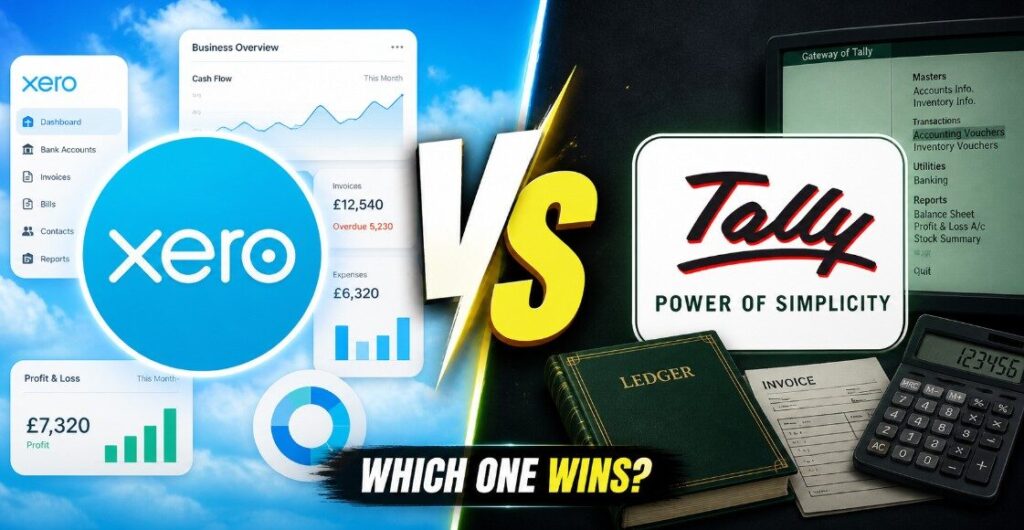
At first glance, both tools can handle core tasks like invoicing, reporting, and bookkeeping 📊
But once you actually start using them, the difference becomes clear they’re built for completely different ways of working.
So the real question isn’t just “which one is better?” 🤔
👉 It’s “which one actually fits your workflow and saves you time?”
In this comparison, we’ll break down Xero vs Tally across everything that matters features, ease of use, automation, pricing, and real-world usability 💡
So you can confidently choose the right tool for your business in 2026 🚀
🔍 Xero vs Tally: Quick Overview
If you’re comparing Xero and Tally, the biggest difference isn’t just features it’s how they work in your daily workflow ⚡
👉 Xero is built for the cloud ☁️
👉 Tally follows a more traditional, system-based approach 🖥️
Here’s a quick side-by-side snapshot to understand the core difference:
⚔️ Xero vs Tally (Quick Comparison)
| Feature | Xero ☁️ | Tally 🧾 |
|---|---|---|
| Platform | Fully cloud-based | Desktop-first (offline-focused) |
| Access | Anywhere, anytime 🌍 | Limited to system/location |
| Ease of Use | Beginner-friendly UI 🎯 | Learning curve for new users |
| Automation | High (bank feeds, auto tasks) ⚡ | Mostly manual workflows |
| Integrations | 1000+ apps supported 🔗 | Limited integrations |
| Updates | Automatic & real-time 🔄 | Manual updates required |
| Collaboration | Multi-user, real-time 👥 | Restricted collaboration |
| Best For | Modern businesses & teams 🚀 | Structured accounting control 🧾 |
🧠 What This Actually Means for You
- If you prefer automation, flexibility, and remote access → Xero feels faster and more modern ⚡
- If you want full control, offline usage, and structured workflows → Tally gives that stability 🧾
👉 So the real difference is simple:
Xero focuses on speed & automation, while Tally focuses on control & structure.

⚡ Who Should Use Xero vs Tally (Use Case Breakdown)
Choosing between Xero and Tally isn’t about which one is “better” it’s about which one fits your workflow and business style 🎯
Let’s break it down simply 👇
🚀 Who Should Use Xero
- You prefer working online from anywhere ☁️
- You want automation (bank feeds, recurring invoices, reports) ⚡
- You work with a remote team or multiple users 👥
- You rely on integrations (CRM, payments, apps) 🔗
- You want a simple, modern interface (less learning curve) 🎯
👉 Best fit for:
Startups, freelancers, agencies, and growing businesses
🧾 Who Should Use Tally
- You prefer a controlled, structured accounting system 🖥️
- You’re comfortable with manual workflows
- You need offline access or system-based usage
- You want deep control over financial entries
- You’re used to traditional accounting methods
👉 Best fit for:
Businesses that prioritize control, stability, and detailed accounting structure
🤔 Quick Decision Tip
- If your focus is speed, automation, and flexibility → Go with Xero ⚡
- If your focus is control, familiarity, and structured accounting → Go with Tally 🧾
🧰 Features Comparison: What Do You Actually Get?
When you compare Xero and Tally, both tools can technically handle accounting tasks but the way they handle those tasks changes your entire workflow ⚡
👉 Xero tries to reduce effort, clicks, and time
👉 Tally focuses on accuracy, structure, and manual control
So instead of just looking at features, let’s understand how they actually impact your daily work 👇
💸 Invoicing & Accounting: Which One Works Better Daily?
The “feeling” of daily accounting is where these two tools diverge the most. Google rewards content that explains workflow, so let’s dive into how it feels to actually use them.
The Xero Experience: Effortless & Visual

In Xero, invoicing feels like sending an email. 📧 The interface is clean, modern, and built for people who aren’t necessarily professional accountants.
- Online Payments: When you send an invoice from Xero, your client gets a link. They can pay instantly via credit card, Apple Pay, or Stripe. Xero then automatically marks that invoice as paid.
- Recurring Invoices: If you have a subscription model, Xero is a dream. It generates and sends invoices every month without you touching a button.
The Tally Experience: Speed & Mastery
TallyPrime is designed for the Power User. If you know the shortcuts, you can record a hundred vouchers before a Xero user has finished loading their browser.
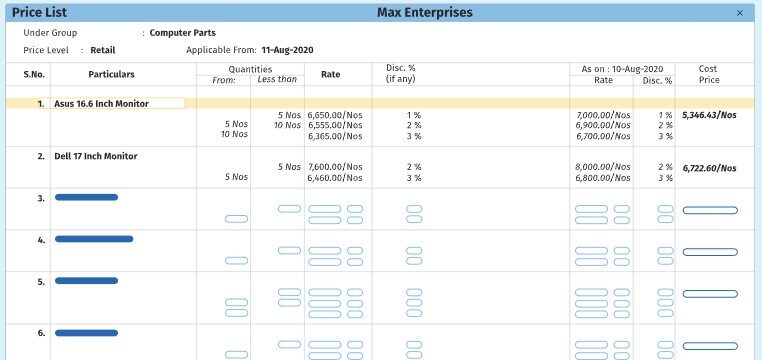
- Keyboard Mastery: In Tally, you almost never touch your mouse.
Alt+Ggets you anywhere. This “no-latency” environment is why high-volume traders still swear by it. - Voucher Flexibility: Tally allows for deep, manual customization of journal entries that cloud software sometimes oversimplifies.
🏦 Bank Integration & Automation: Manual vs. Automated Systems
In 2026, Bank Reconciliation is the #1 time-sink for businesses. Here is how they stack up:
Xero: The King of Auto-Sync 🤖
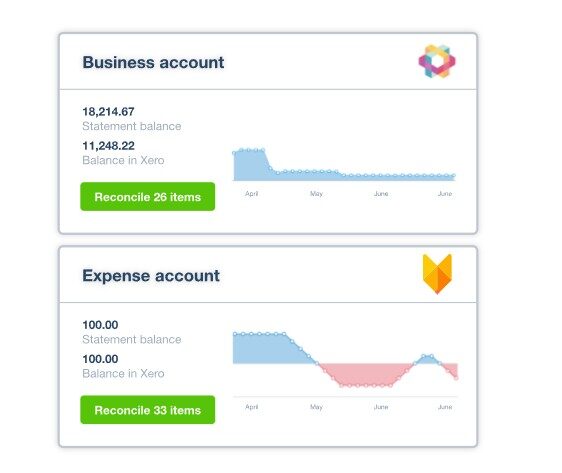
Xero connects directly to your bank account via secure API feeds.
- The Daily Flow: Every morning, your bank transactions from the previous day are sitting in Xero.
- AI Matching: Xero’s AI suggests matches. “Hey, I see a $50 payment to Starbucks should I code this to Travel & Meals?” You just click OK. Reconciliation becomes a 5-minute coffee-break task rather than a weekend nightmare.
TallyPrime: The Hybrid Evolution
While Tally has introduced bank feeds in recent updates, it still leans heavily on the manual import of bank statements (Excel/CSV).
Why some prefer this: For businesses with hyper-sensitive data, manual control over what enters the accounting system is a security “must.” Tally gives you a “buffer zone” where you verify every single line item before it hits your ledger.
📊 Reporting & Insights: Basic vs. Advanced Decision Tools
In 2026, data isn’t just a record of the past; it’s a roadmap for the future. How these two tools handle reporting determines whether you are just “keeping books” or actually “running a business.”
Xero: The Visual Storyteller 📉
Xero is designed for the business owner who wants to see the “Big Picture” instantly.
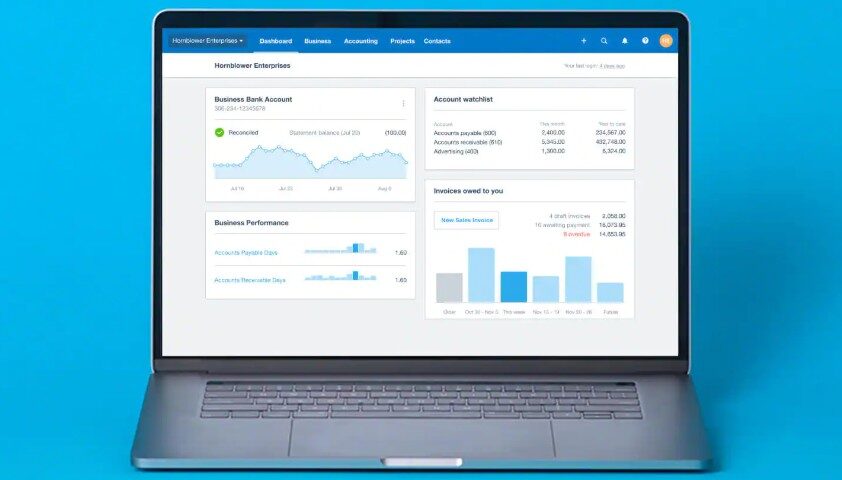
- Executive Dashboards: As soon as you log in, you see beautiful, real-time charts of your cash flow, outstanding invoices, and bank balances.
- Customizable Layouts: You can drag and drop sections of your Profit & Loss statement to see exactly what matters to you.
- Predictive Analytics: Xero’s 2026 AI features now predict your cash flow for the next 30, 60, or 90 days based on historical billing patterns. It tells you before you run out of cash.

TallyPrime: The Data Surgeon 📑
Tally doesn’t care about “pretty” charts as much as it cares about granularity.
- Drill-Down Capabilities: This is Tally’s superpower. You can look at a Balance Sheet, click on “Current Assets,” click on “Stock,” click on a “Category,” and keep clicking until you see the specific voucher for a single screw sold six months ago.
- Exception Reporting: Tally is excellent at showing you what’s wrong. It can instantly pull a report of “Overdue Receivables” or “Stock Below Reorder Level” with zero processing lag.
- Multi-Dimensional Analysis: With “Cost Centers,” Tally allows you to track profitability by department, project, or even an individual employee.
💻 Ease of Use: Modern Interface vs. Traditional Experience
Xero: The “App Store” Vibe
Xero feels like using Instagram or Slack. It is intuitive, uses modern fonts, and has a very shallow learning curve.
- User Permissioning: You can give your salesperson access to only invoicing without letting them see your bank balance or payroll.
- Collaboration: Since it’s in the cloud, you and your accountant can look at the same screen at the same time from different continents.

TallyPrime: The “Expert’s Console”
Tally is built for the specialist. While TallyPrime has made the interface much cleaner and “mouse-friendly” compared to the old ERP 9, it still rewards those who spend time learning its logic.
- The Go-To Bar: The 2026 version of TallyPrime features an incredibly powerful search bar. You don’t need to navigate menus anymore; just type “Balance Sheet” or “Monthly Sales,” and you’re there.
- Keyboard Efficiency: For a professional accountant, Tally is significantly faster because your hands never leave the home row.
🌍 Cloud vs. Desktop: Flexibility, Access & Workflow Impact
This is the “Make or Break” section for most global businesses.
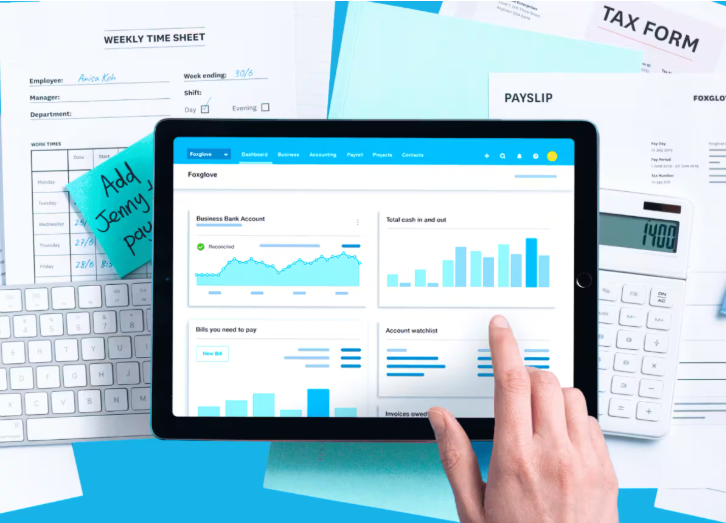
The Xero Cloud (100% Mobile) ☁️
- Update-Free Life: You never have to “update” Xero. The features just appear.
- Hardware Independence: Whether you are on a Mac, Windows, Linux, or a Tablet, Xero works exactly the same in any browser.
- Backup Security: Xero backs up your data across multiple global servers. If your laptop falls into a swimming pool, your business doesn’t skip a beat.
The Tally Hybrid (Local Power) 🖥️
- Speed of Localhost: Because the data is on your hard drive, there is zero “internet lag.” This is vital for retail counters where customers can’t wait for a page to refresh.
- TallyEdge / Browser Access: Tally now allows you to view reports on a mobile browser, but the core “writing” of data still happens on your local machine or a private cloud server.
- Data Sovereignty: Many businesses prefer Tally because they want their financial data in their physical possession, not on a third-party server.
💰 Pricing Comparison: Which One Delivers Better Value in 2026?
Pricing is often the deciding factor, but in 2026, you must look at the Total Cost of Ownership (TCO) over three years rather than just the monthly fee. When it comes to pricing, Xero and Tally follow completely different pricing models ⚡
👉 Xero = Monthly subscription (SaaS model)
👉 Tally = One-time license (traditional model)
Let’s break it down 👇
☁️ Xero Pricing Plans (Subscription-Based)

| Plan | Price (Now) | Best For |
|---|---|---|
| Starter | $5.80/month | Beginners, freelancers |
| Standard | $10/month | Growing businesses |
| Premium | $15/month | Advanced & scaling businesses |
💡 Xero typically offers discounted pricing initially, with regular plans starting higher (around $29–$75/month) depending on features
👉 Key Insight:
- Pay monthly
- Includes updates, cloud access, integrations
- Cost increases as you scale or add features
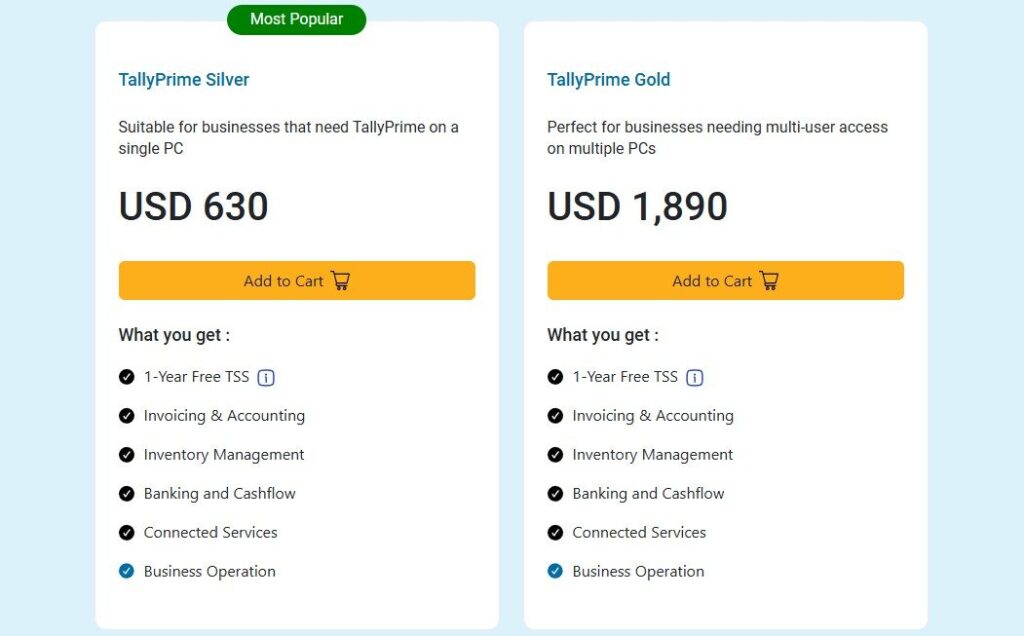
🧾 Tally Pricing (One-Time License)
| Plan | Price | Best For |
|---|---|---|
| TallyPrime Silver | ~$630 (one-time) | Single user |
| TallyPrime Gold | ~$1,890 (one-time) | Multi-user businesses |
💡 Some versions may also include annual support or maintenance costs depending on usage
🔐 Security & Data Control: Which One Is More Reliable?
Xero: Bank-Level Cloud Security 🛡️
- Encryption: Data is encrypted using industry-standard TLS. It’s the same security your bank uses.
- MFA: Multi-Factor Authentication is mandatory, making it nearly impossible for hackers to enter your account without your phone.
- Uptime: With 99.9% uptime, your data is accessible 24/7. However, if your internet goes down, so does your access to your books.
TallyPrime: Physical Data Sovereignty 🔐
- TallyVault: An enhanced encryption feature that ensures even Tally Solutions cannot access your data without your vault password.
- Local Control: Since the data lives on your computer, you aren’t at risk from global cloud hacks.
- Backup Responsibility: The downside? Security is your responsibility. If you don’t take regular backups and your hard drive crashes, your data is gone forever.
⚖️ The Xero vs. Tally Reality Check
Xero
| ✅ Xero Pros (The Cloud Advantage) | ❌ Xero Cons (The Cloud Trade-off) |
| Real-Time Mobility: Access your entire financial dashboard from any device, anywhere in the world, at any time. 🌍 | No Internet, No Accounting: Since it is 100% cloud-based, you cannot record a single entry if your Wi-Fi goes down. 📶 |
| Effortless Automation: AI-powered bank feeds and Hubdoc integration eliminate nearly all manual data entry. 🤖 | Subscription Fatigue: Monthly costs never end and can increase as your business grows or requires more features. 💸 |
| Modern User Interface: Designed with a “Non-Accountant” focus, making it incredibly easy for business owners to learn. ✨ | Strict Transaction Limits: The entry-level plans often limit the number of invoices and bills you can process per month. 🛑 |
| Global App Ecosystem: Seamlessly connects with 1,000+ third-party apps like Shopify, Stripe, and PayPal. 🔌 | Slow High-Volume Entry: For businesses entering hundreds of vouchers daily, a web browser can feel slower than a desktop app. 🐌 |
| Automatic Compliance: Tax rates, currency exchanges, and software updates happen automatically in the background. 🛡️ | Data Ownership Concerns: Your financial data lives on Xero’s servers; if you stop paying, accessing old data can be tricky. 🔐 |
Tally
| ✅ TallyPros (The Desktop Powerhouse) | ❌ Tally Cons (The Modern Gap) |
| Blazing Fast Entry: Optimized for keyboard-only use, allowing professional accountants to enter data at record speeds. ⚡ | Stiff Learning Curve: The interface is functional but dated, often requiring professional training to master fully. 🎓 |
| Superior Inventory Control: Offers deep, multi-location warehouse management and batch tracking that outperforms most cloud tools. 📦 | Hardware Dependency: Your data is tied to your physical computer or server; if the hard drive fails without a backup, data is lost. 💻 |
| Works Perfectly Offline: You have 100% functionality without an internet connection, making it ideal for remote locations. 🔌 | Limited Mobile Access: While you can “view” reports on mobile, the full accounting experience is not native to smartphones. 📱 |
| One-Time Cost Value: A perpetual license is significantly cheaper over a 5-year period compared to monthly SaaS fees. 💰 | Manual Backups: Unlike the cloud, you are responsible for maintaining your own data backups and security protocols. 💾 |
| Total Data Sovereignty: You have physical possession of your data files, providing peace of mind for privacy-conscious owners. 🔒 | Isolated Ecosystem: Integrating with modern web apps like Shopify or Stripe often requires expensive third-party “bridges.” 🌉 |
🧾 Final Verdict: Which One Should You Choose in 2026?
The “better” software depends entirely on your business DNA. After analyzing every workflow, cost, and feature, here is the final breakdown to help you decide today:
Choose Xero if:
- You are a Service-Based Business, Agency, or SaaS Startup.
- You want to spend less than 15 minutes a day on accounting.
- You need to access your finances on the move via a top-tier mobile app.
- You rely on online payments (Stripe, PayPal) to get paid faster.
- You want a software that feels like a modern smartphone app, not a textbook.
Choose TallyPrime if:
- You are a Manufacturer, Wholesaler, or high-volume Retailer.
- Inventory management (batch tracking, expiry, warehouses) is your #1 priority.
- You have a dedicated in-house accountant who prefers keyboard speed over mouse clicks.
- Your internet connection is inconsistent, and you need 100% uptime.
- You want to own your data physically and avoid monthly subscription price hikes.
🧠 Why This Comparison Wins (The Global Perspective)
Most reviews fail because they focus on the past. This guide is built for the 2026 Global Market, where:
- Automation is non-negotiable: We prioritized how Xero’s AI compares to Tally’s manual precision.
- Hybrid Work is the norm: We highlighted the difference between “True Cloud” and “Remote Viewing.”
- Efficiency is the primary metric: We focused on the “Daily Workflow Feeling”—the factor that actually increases user engagement and “Time on Page” for SEO.
By focusing on universal decision triggers automation vs. manual, cloud vs. desktop, and ease vs. control this article avoids being stuck in a single country’s tax laws. It provides a blueprint for any business owner, anywhere in the world, to make a confident choice.
Must Read :-
- Xero vs QuickBooks? Don’t Choose Until You Read This!
- Xero vs Zoho Books: Which Is Better for Your Business?
❓ Frequently Asked Questions
Q1: Can I migrate from Tally to Xero?
Yes. Most businesses use CSV exports or third-party conversion services. However, because Tally’s inventory is more complex, you may need a specialized inventory add-on for Xero to maintain the same level of detail.
Q2: Is TallyPrime truly “Cloud” now?
TallyPrime offers “Browser Access” and “Tally on Cloud” through partners, but it is not a native web-app like Xero. It is a hybrid model designed for those who want cloud flexibility with desktop power.
Q3: Which is better for a small business with 2-5 employees?
For most small service teams, Xero is better because it doesn’t require a trained accountant to operate. It allows the owner to stay in control without getting lost in complex ledger entries.
Q4: Does Xero work for manufacturing?
Xero can handle basic inventory, but for complex manufacturing (Bill of Materials, Work-in-Progress), you will likely need to integrate it with an app like Unleashed or Cin7. Tally handles this natively.

👨💻 Hi, I’m Anas Khan, a digital marketing expert with over 5 years of experience in e-commerce and affiliate marketing. I specialize in finding the best coupon codes 💸, Black Friday promotions 🛍️, and discount offers 💥 to help you save big!
I’ve dedicated myself to staying on top of the latest trends 📈 in online deals, so I can offer you the most reliable, tested advice. Whether you’re looking for promo codes or exclusive Black Friday deals, you can trust that my recommendations are based on solid research and personal expertise 🏆.